
For flying clubs and aircraft partnerships
So the committee flies again instead of doing sums
Reservations with waiting list, the whole fleet's occupancy at a glance, monthly invoices as QR bills at the push of a button – and fly-outs that are planned and settled together.
What eats time in a flying club
Usually three things.
Invoicing
Read hour meters, compute flight time, apply rates, deduct vouchers, write invoices, chase payments. Every month.
Coordination
"Is the aircraft free on Saturday?" – "Can I take the slot if someone cancels?" Today that runs on WhatsApp and phone calls.
Oversight
Who did their last check flight when, whose medical expires, who may fly which aircraft? The committee should know without asking.
How Aviation Helper solves it
From reserving to the paid invoice
Fleet overview and "I want to fly"
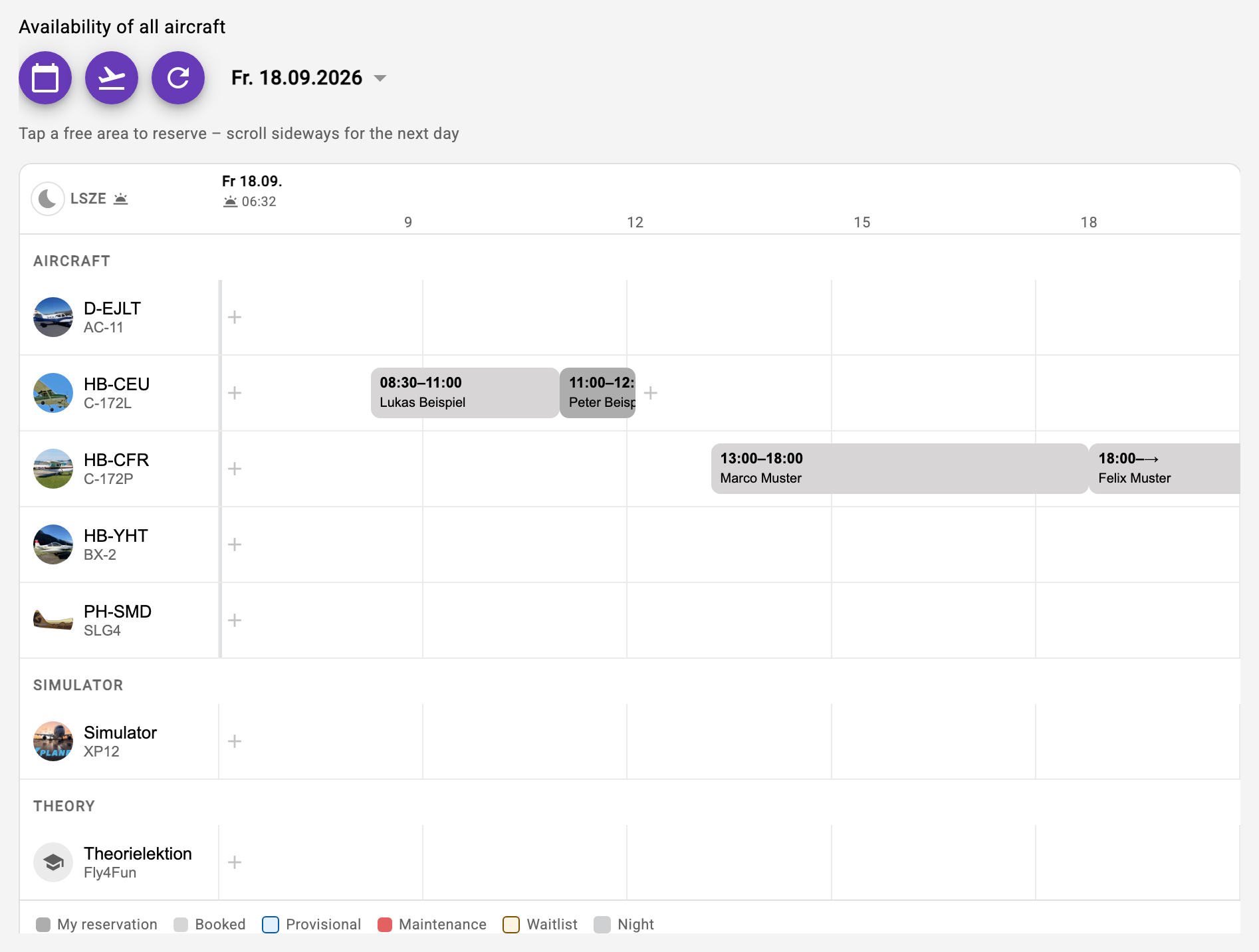
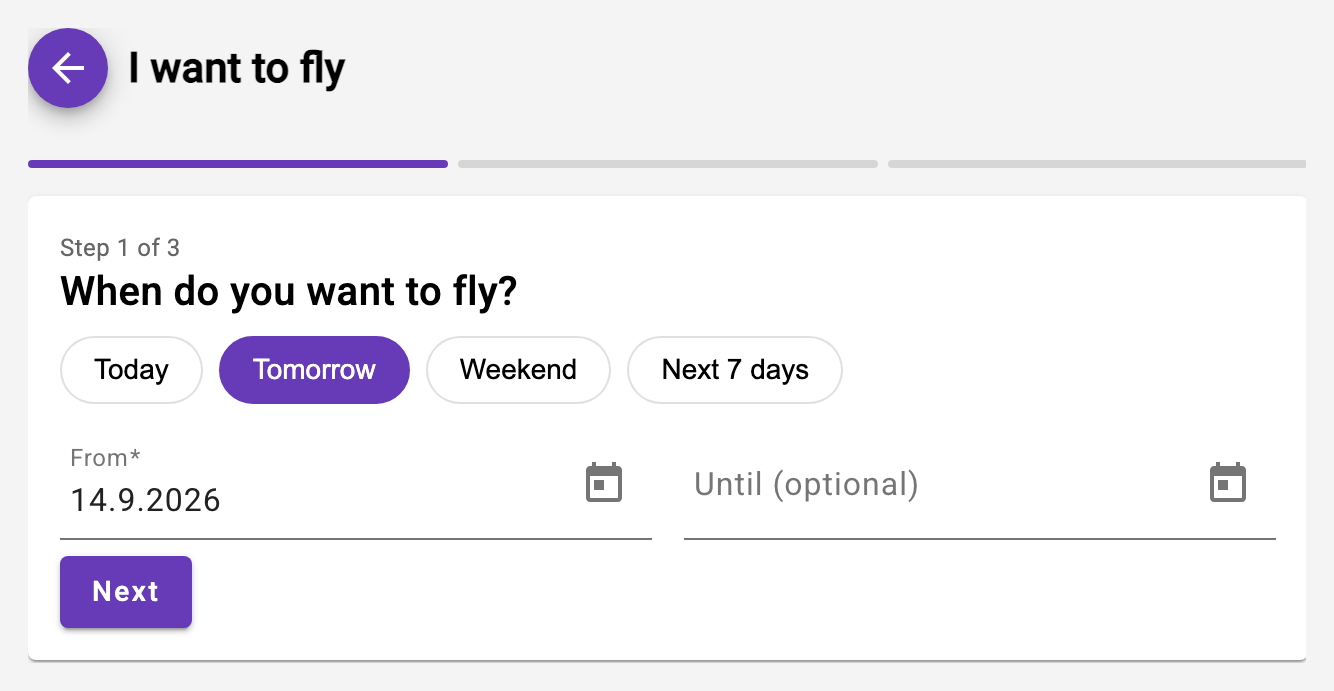
Every aircraft of the day as a matrix: tap a free area and reserve. Or the other way round: choose period and duration, the app proposes the free windows. The club's safety rules (check flight, last flight, instructor requirement) apply automatically.
- Waiting list: queue when occupied – automatic promotion
- Reason for cancellation, visible to those affected
- Calendar subscription (iCal) and push notifications
Waiting list instead of WhatsApp
If the aircraft is taken at the desired time, you queue. When the slot frees up, the first in line is promoted automatically and notified – visible to everyone right in the reservation card. For a partial overlap the app offers to book the free part straight away.
Help: Waitlist and Deletion Reason for Reservations →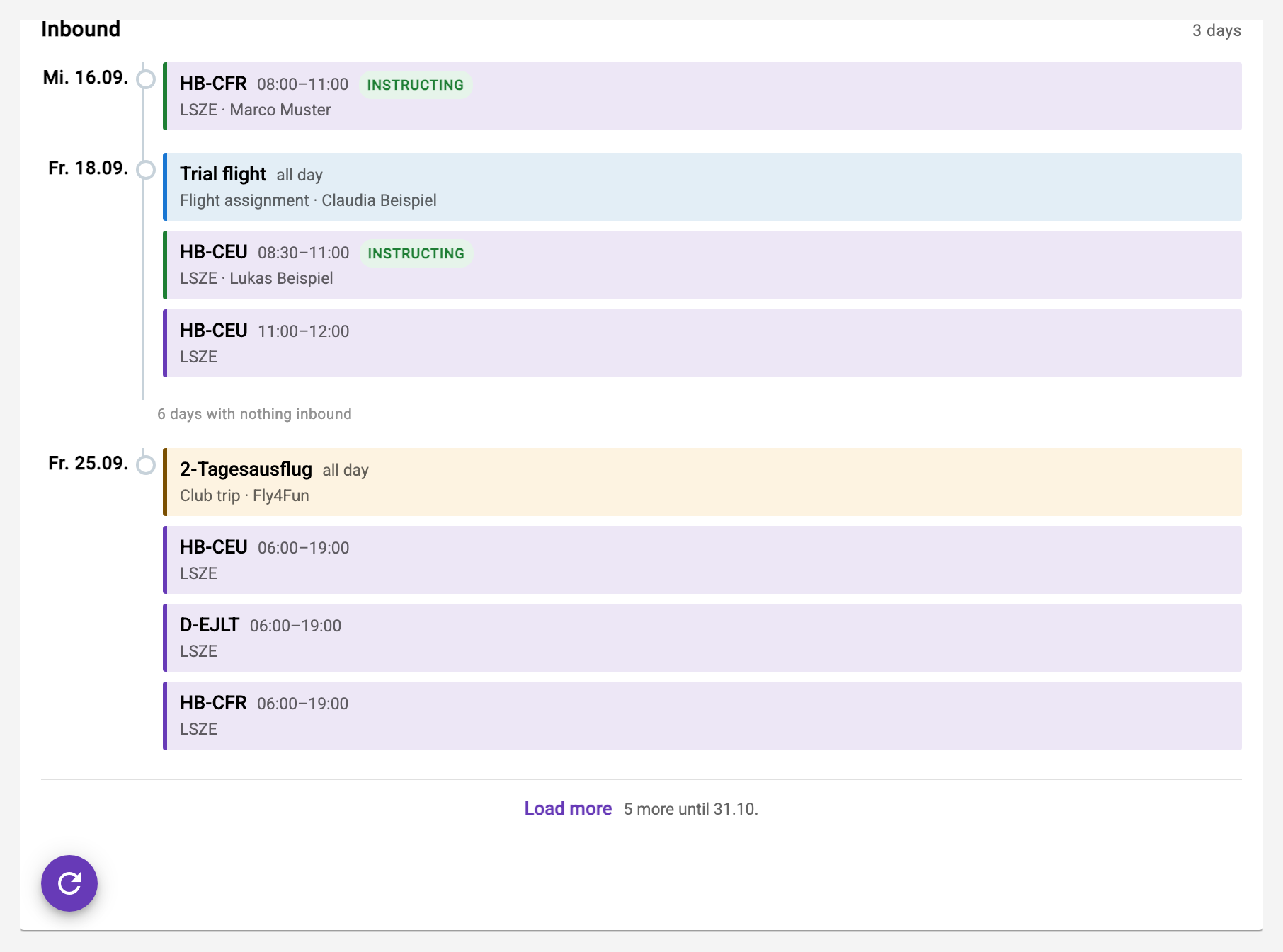
Invoicing at the push of a button
Enter hour meter and landing time, the app computes the rest. The invoice run creates all invoices of the month with preview and breakdown, sends them as QR bills and shows open items on the dashboard – with "mark as paid" and "resend".
- Billing packages, discounts, vouchers, away-airfield fuel
- Accounting exports: CSV, MT940, ISO 20022
- Instructor statements in the same run
Validations and safety rules
The club defines what applies: maximum days since the last check flight, since the last flight with the club, instructor requirement for students. The reservation enforces it – and the dashboard shows every member where they stand. Personal validations such as medical or LPC are maintained by each member.
Help: Security-Rules →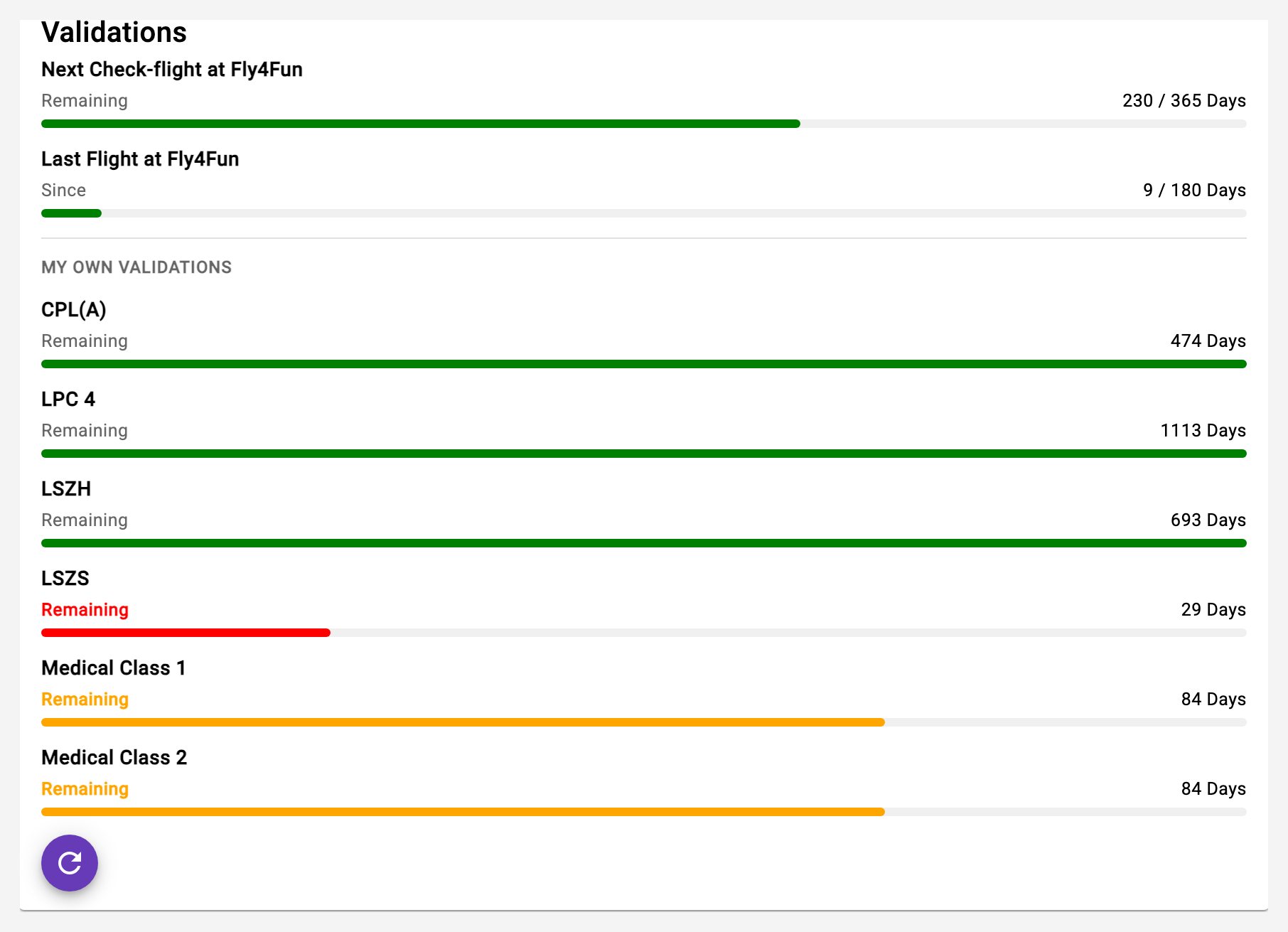
Aircraft and member statistics for the owner
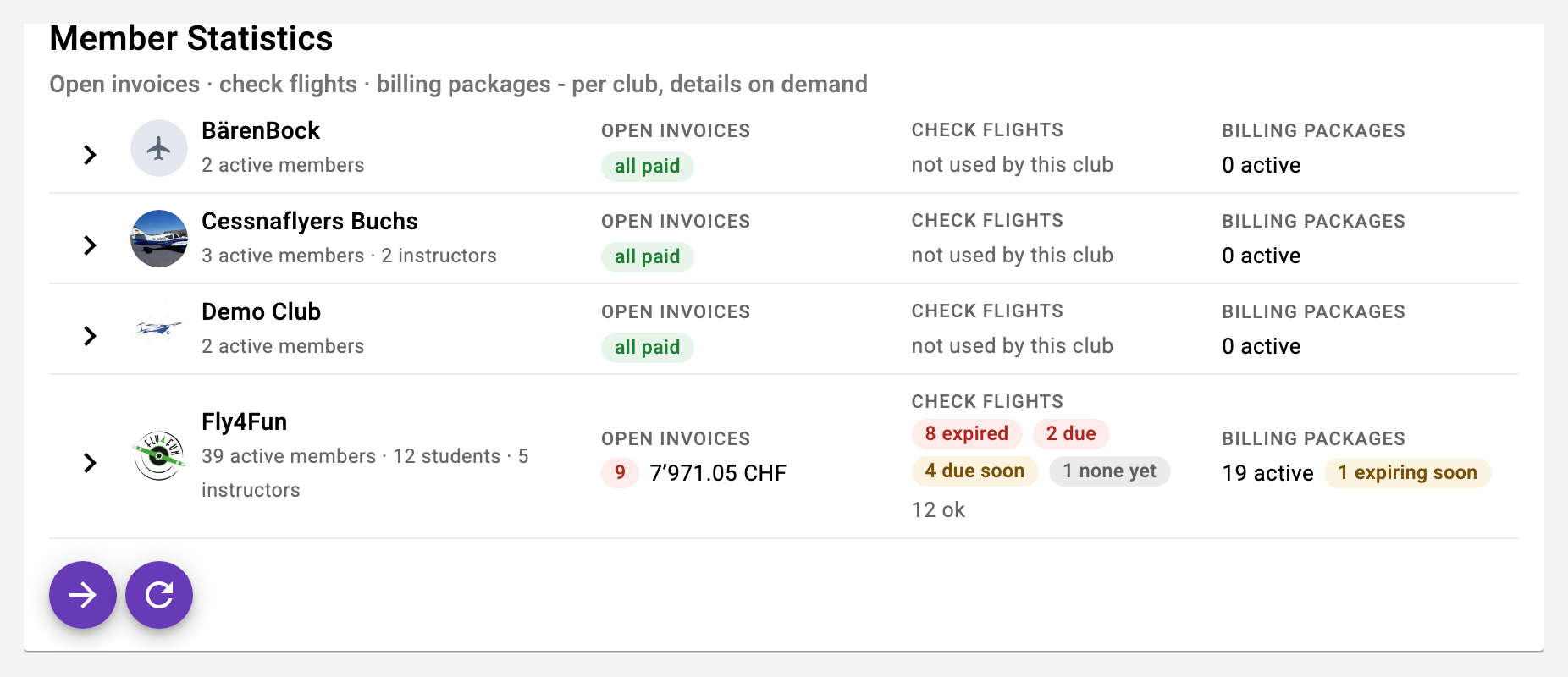
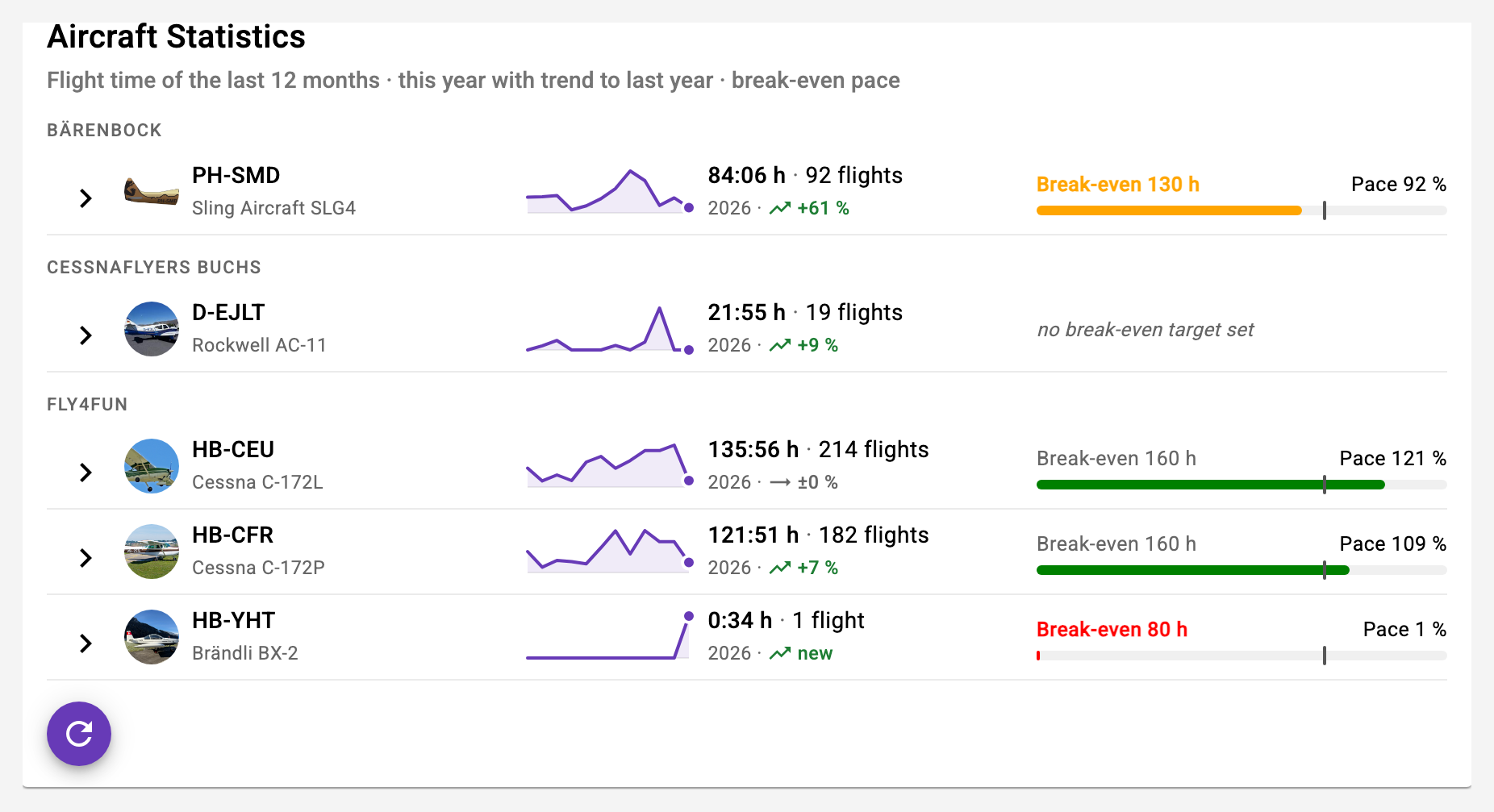
The aircraft statistics show hours, revenue and the break-even as a course per aircraft – real aircraft only, no simulators. The member statistics bundle open invoices, due check flights and expiring billing packages in three tabs, every row leads straight to the member.
- Hangar rows instead of gauges: the whole fleet at a glance
- Open items, check flights, packages – one place instead of three cards
- Jump to the member profile and back
Plan and settle fly-outs
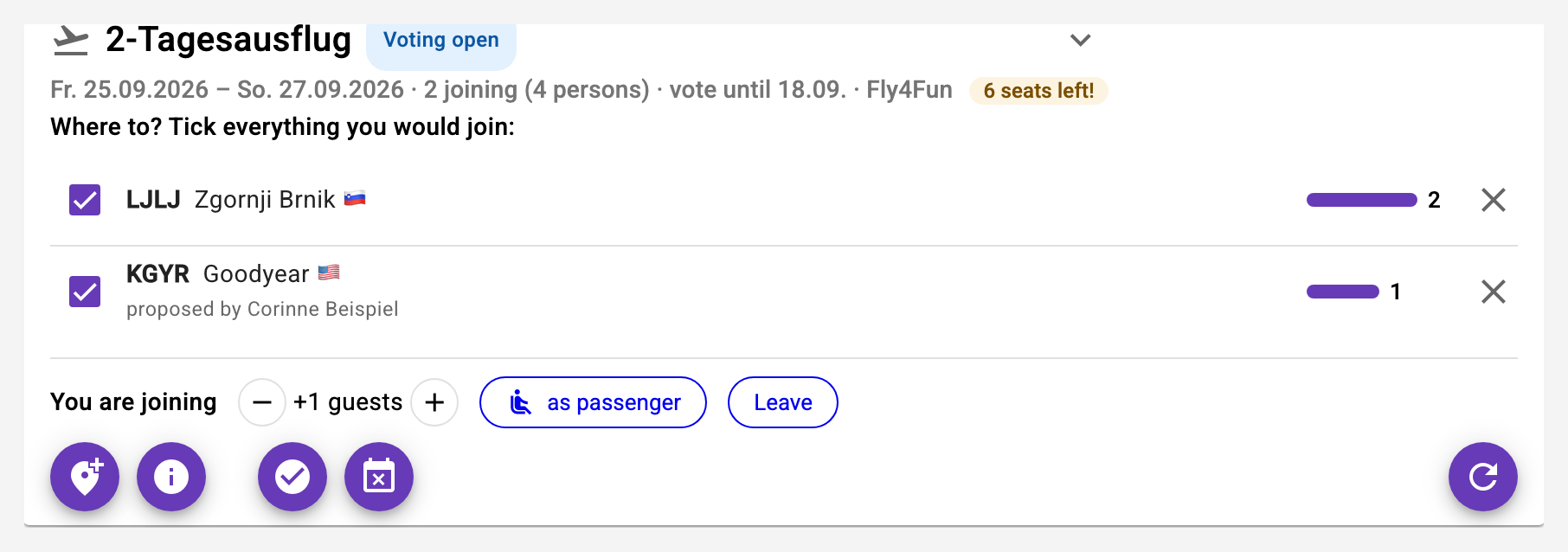
FlyOuts: propose destinations, vote, fix. SplitFlaps: split the trip's expenses among participants and settle them against each other – across currencies too. And a multi-leg trip gets a timetable while the aircraft stays reserved throughout.
- Toolbox: ICAO chart with your position, density altitude and flight computer
- The club's own links in the toolbox
- Contacts and flight assignments for sightseeing flights
How you get started
Small partnerships start for free. For everyone else: three steps.
Demo
30 minutes on screen or at the airfield, with your aircraft and rates as the example.
Set up
Club, aircraft, members, safety rules, rates – entered in the app, with our guidance.
Go
Invite members by e-mail, install the app, reserve. We do the first monthly invoice run together.
Next month's invoicing in five minutes.
Bring last month's figures. In the demo we show you what the same month looks like in Aviation Helper.