
23. FlyOuts - planning trips and voting
Licence note: FlyOuts is a toolbox tool. If it is not enabled for your club, no new fly-outs can be created - running votes remain usable.
Instead of asking "Who joins on Saturday?" in the chat, you create the fly-out in the app: every member gets a push notification, votes on where they would join, and proposes their own destinations. In the end the creator fixes the destination - and on request the SplitFlaps list for the expenses is created right away.
Creating a fly-out
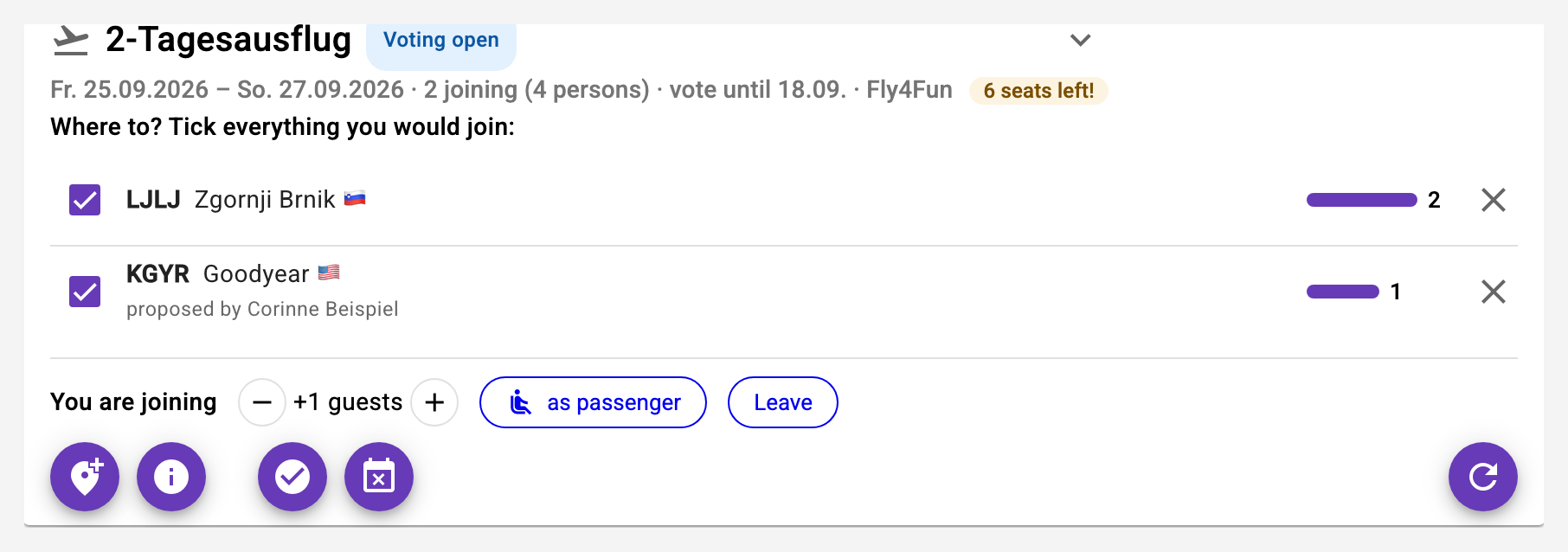
Open the toolbox and in it FlyOuts, then New fly-out. Give it a title, pick the date (with an until date for multi-day trips) and enter the possible destinations - the ICAO search knows more than 80'000 airfields and sets code and name in one step; a note like "restaurant right at the field" helps with the voting. Optionally set a voting deadline and the maximum number of seats: the card then shows "2 seats left!", and latecomers see "Fully booked".
If club aircraft should be reserved for the fly-out, tick them right when creating and choose the time window: one real reservation per aircraft is made in your name, with the fly-out title as note. All booking rules apply - if an aircraft is already taken, the fly-out is created anyway and the message names the reason.
Voting and joining
The fly-out appears on every member's dashboard. Tick every destination you would join - several ticks are welcome, and Joining - any destination ticks them all. With the first tick you are signed up and can add guests (+1, +2, ...). If a destination is missing, propose it yourself with Propose a destination: it appears immediately for everybody.
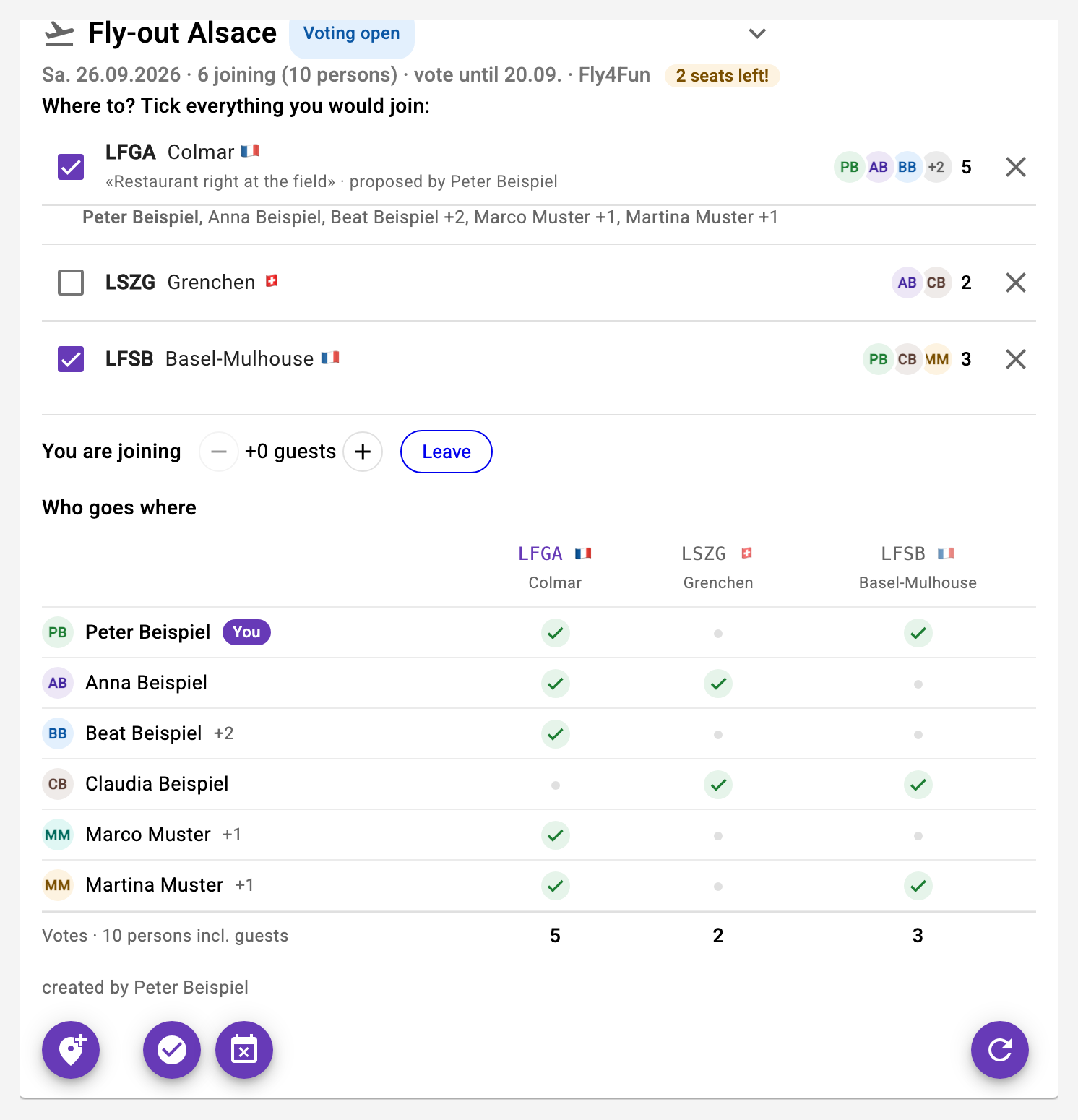
Who voted for what is visible right in the row: behind each destination the people appear as initials circles - every person keeps the same colour everywhere, up to four circles, then «+n» - with the count next to them. A tap on the circles unfolds the names below. In the toolbox the card also shows the Who goes where grid: one row per person, one column per destination, a tick where the vote is - your own row on top, the footer counts the votes. Once fixed, the chosen column turns green.
Fixing
The creator or the club owner presses Fix, chooses the destination (the one with the most votes is preselected) and sees exactly who joins with it - everybody who ticked this destination. With the Create the SplitFlaps list checkbox the expense list with these participants is created right away; whoever brings guests automatically gets the matching shares. Everybody who voted receives a push notification.
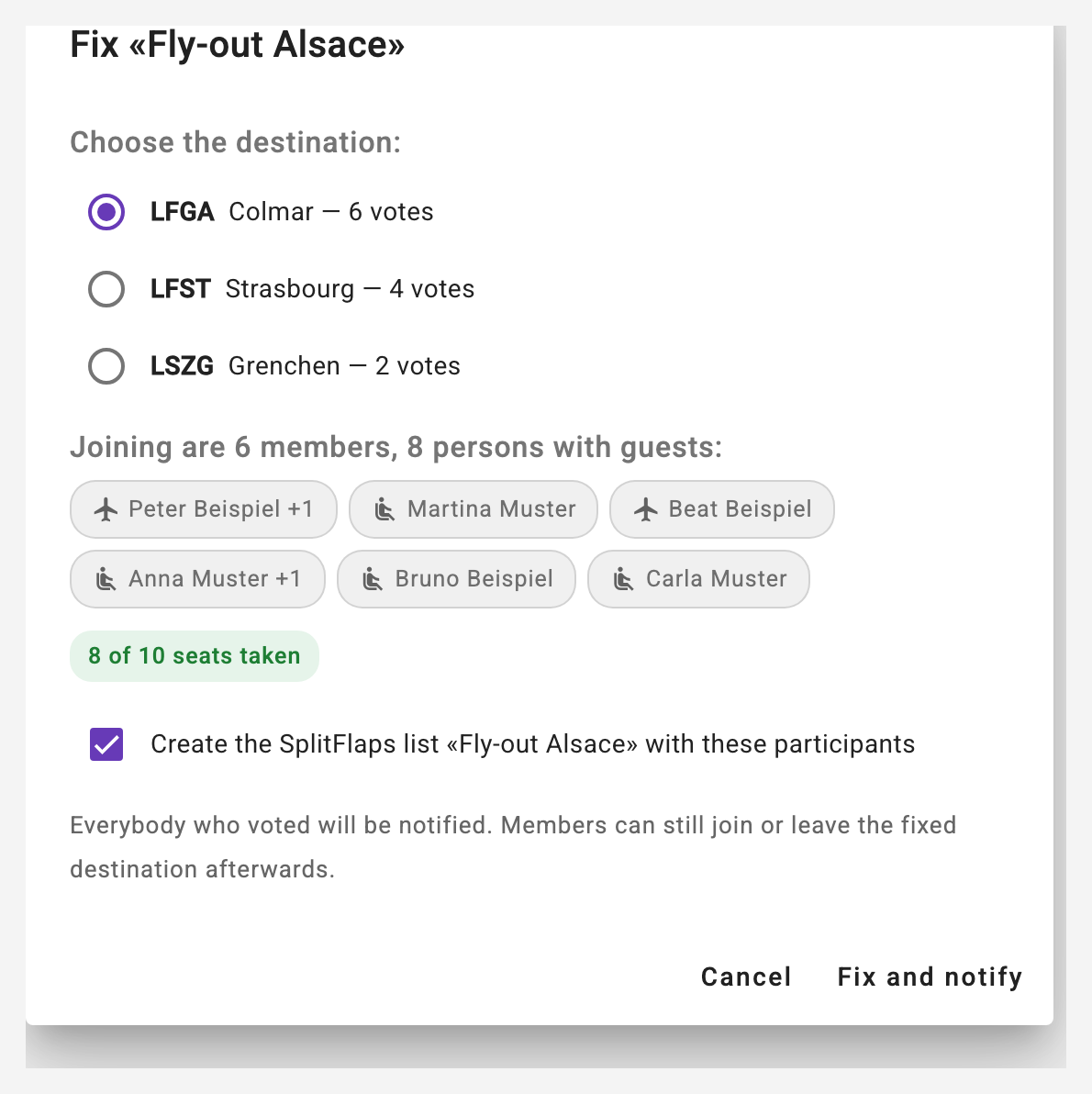
Even after fixing, members can still join or leave the fixed destination - the SplitFlaps list is not updated automatically, latecomers are added there with one tap. If a new vote is needed, the creator reopens the fly-out.
Cancelling
If the creator or the owner cancels the fly-out, the aircraft reservations created with it are deleted as well and everybody who voted is informed.
Notifications
Three push notifications accompany the fly-out: the announcement to all club members, "fixed" and "cancelled" to everybody who voted - plus a one-time reminder to the creator when the voting deadline has passed without fixing. Each can be switched off individually under Notifications. Individual votes and new destination proposals deliberately trigger no notification.