2. General
The Aviation Helper web app is a web-based application and can therefore be used on all devices with a web browser. The following browsers have been safely tested:
- Safari
- Chrome
- Brave
- Internet Explorer
2.1 App updates
When a new version is ready after an update, the app shows a persistent hint at the top with the new version number. The app stays usable - if you are in the middle of entering something, save it first, then click "Install now": the app reloads and the new version is active (visible under "About" in the user menu). What changed is listed in the release notes.

2.2 Back button
Every screen carries a round arrow next to the page title, at the top left. It always goes exactly one level back: from the reservation form to the agenda of the aircraft, from there to the availability overview, from a logbook entry to the list. When no level is left, it returns to where you came from - if you opened the page through a button on the dashboard, that is the dashboard. Coming straight from the menu, the arrow takes you to the overview. Its tooltip always says where it leads.
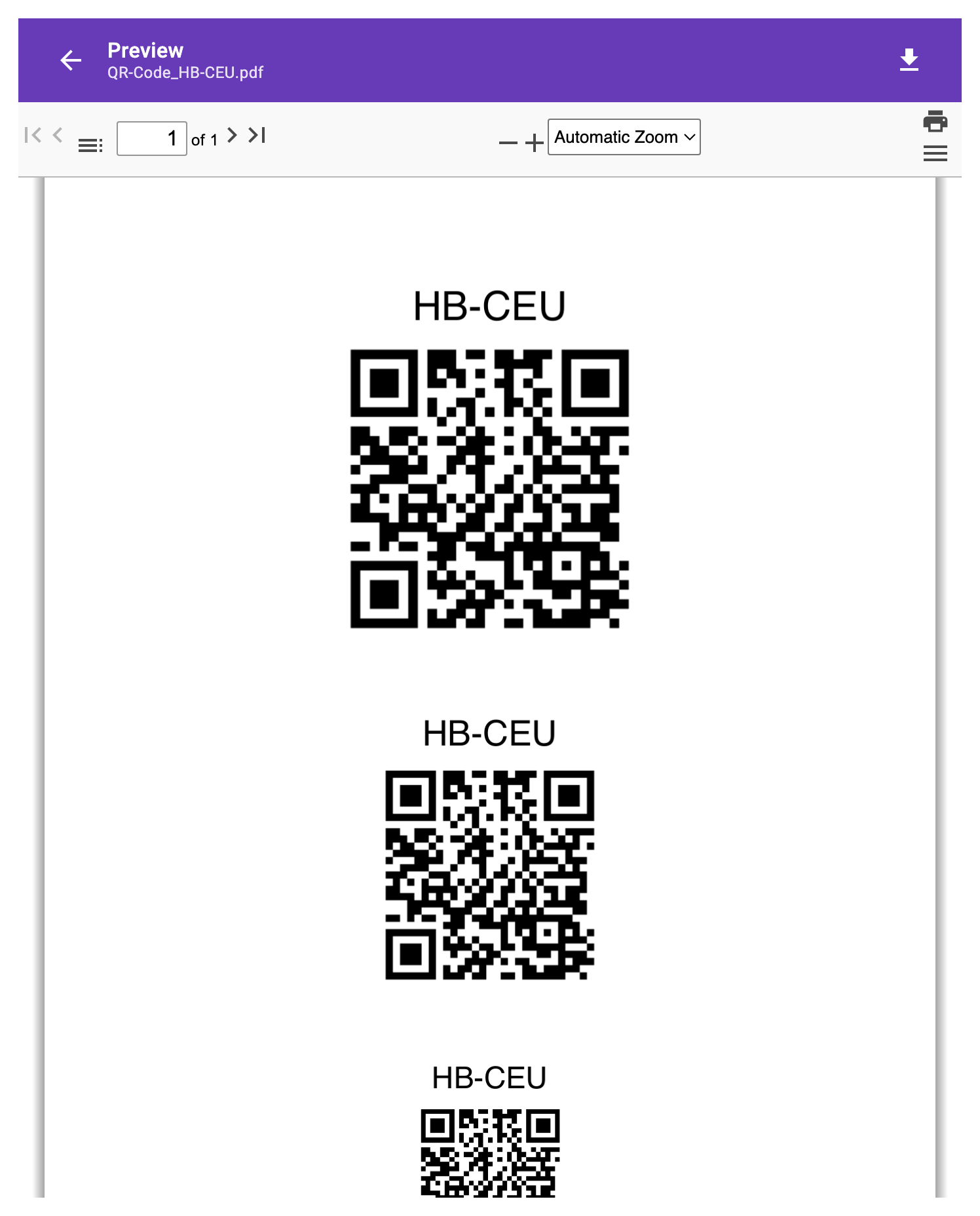
PDFs - invoices, vouchers, training records, QR codes, print previews - open everywhere in the same preview, and it fills the whole screen: at the top a bar like the app header with the back arrow on the left, title and file name in the middle (a descriptive name such as Invoice_HB-CEU_Martina_Muster_2026-08-01_2026-08-31.pdf) and Download on the right; below it the document with paging, zoom and printing. On the phone the whole screen stays free for the document. The arrow of the preview only closes the preview (Escape does the same) - the page behind stays as it was.
2.3 The dashboard
The overview collects every card that currently matters to you. On a wide screen they sit in columns of equal width, grouped into three sections:
- To do - anything that needs action today: fly-outs and expense lists, requests and assignments, availability, theory and training.
- My flying - where you stand: reservations, flight times, club drive, validations, invoices.
- Club statistics - for club owners only: figures to look up.
How many columns sit side by side depends on the window width; large cards with wide tables take two columns or the full row. On a phone and in narrow windows there is one card per row as before, and the section headings do not appear there. Which cards you see depends on your role - a plain member only sees their own section, and then no headings either.
2.4 Inbound - the timeline
On the left of the overview (at the top on a phone) runs a timeline with everything ahead of you: reservations, theory lessons, club trips, flight assignments you have taken on, and open lesson requests - all in one track, grouped by day. Today is highlighted in colour, weekends stand out, and longer pauses are summed up as "N days with nothing inbound", so an appointment eight weeks away does not look like the neighbour of today's. What is already over is gone: a flight from this morning disappears with its landing, a running reservation stays until it ends, a trip until the end of its day.
Reservations where you are booked as the instructor carry the badge instructing and a green edge - the same colour as theory lessons you teach yourself. The second line names the other person: your instructor on your own flight, the student on a lesson.
A reservation that schedules a taken flight assignment carries the tag flight assignment and names type and guest in its second line; the assignment's preferred date then no longer appears as its own entry (see 18.8).
Clicking an entry opens it: a reservation as a summary, a lesson request on the requests card, a trip on its own page.
If a reservation names a student with a running training dossier and you are the instructor, the button FI briefing sits to the right of the entry - it opens the overview of the student (see 11.12).
If the cards next to it are taller than the timeline, it shows as many more days on its own as fit into the free space - never beyond the end of the cards. At the bottom there is Load more as long as something is still to come. The button only asks the server when it really has to - whatever is already loaded is shown without a new call. Once everything is shown it reads "Nothing more inbound."; if you have no appointments at all, you get a button to the flight window finder instead.
The timeline replaces the former card "My next reservations" - it shows the same reservations plus everything else that is coming up, and it does not stop after seven entries.
2.5 Waiting and loading
Whenever the app is working - loading data or carrying something out - it shows it the same way everywhere: a thin yellow bar at the top edge of the window runs as long as a call to the server is in flight, no matter how far you have scrolled. For longer actions (creating a PDF, sending an e-mail, the invoice run, matching a bank statement) a small pill next to it says what is happening. Quick answers trigger nothing - the bar only appears when something takes longer than a third of a second.
When a card or a form reloads its content, a translucent veil lies over it until the data has arrived; as long as a card has no content at all yet, a spinner stands in its place - for a longer load with a note on what is being produced (such as "Generating the annual activity report …"). When an area shows its waiting like this, the bar at the top does not run as well: one wait, one indicator. While waiting, the affected buttons are locked - a second click on "PDF" does not create a second file.
2.6 Logbook: entries of a member
All members of the club see the complete logbook of an aircraft; the switch "Own" below the table shows only your own entries - as pilot or as instructor. The club owner additionally has the selection "Entries of": a chosen member filters the list to that member's entries (again as pilot or instructor), "All members" removes the filter. The selection has the search and the switch for inactive members of the member lists. The two filters exclude each other: choosing a member switches "Own" off, switching "Own" on clears the selection - and every change starts on the first page. When switching to an aircraft of the same club, the filter stays.
2.7 Electronic signature
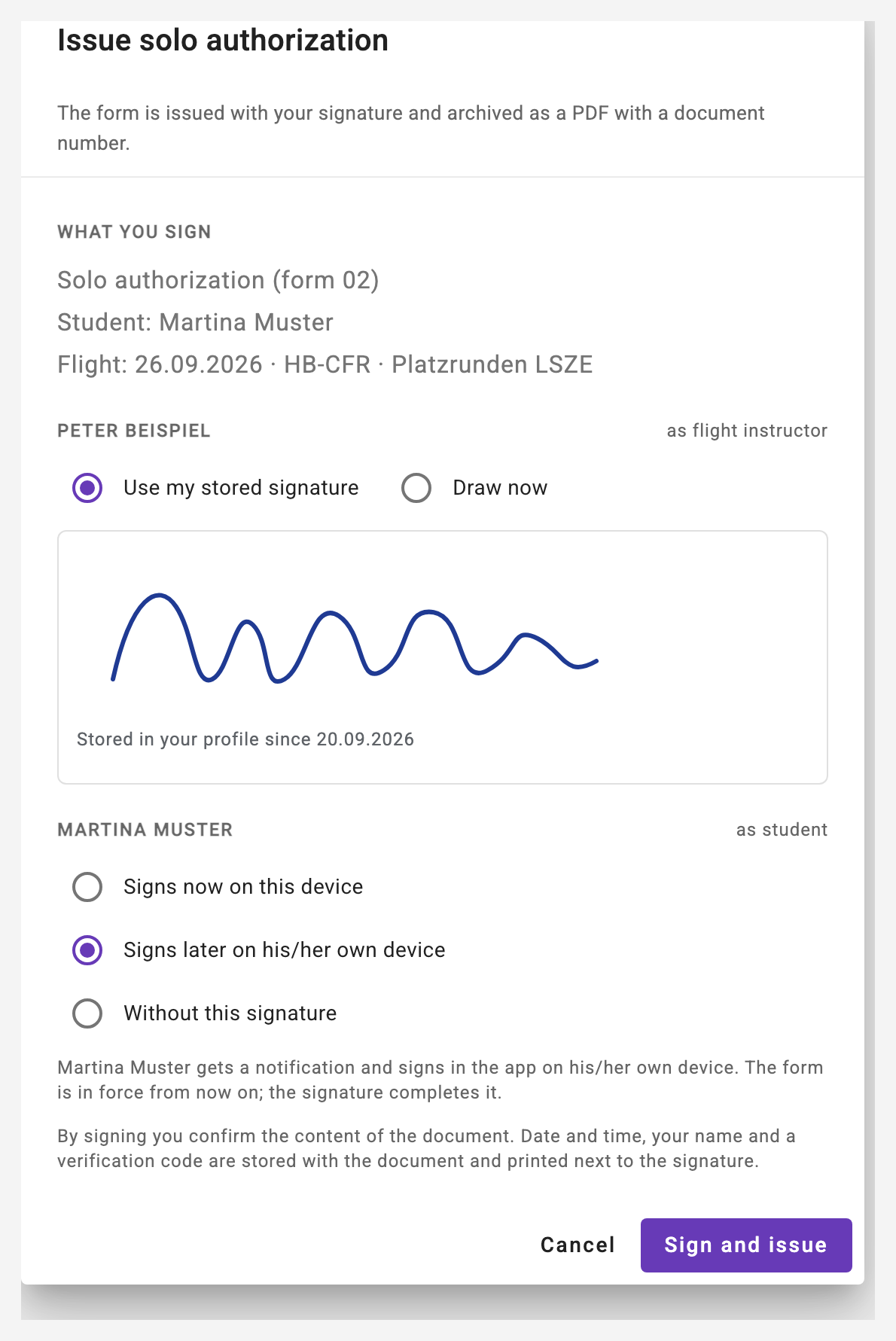
Documents that require a signature are signed in the app: the solo flight authorization (form 02), the closing of the training record and the DTO annual report. It is an electronic signature (not a certified signature scheme): the image of your signature, plus date and time, your name, the method (drawn, stored or on the instructor's device) and a verification code (AH-SIG-…) - all of it is stored with the document and printed next to the signature. The signed PDF is archived with a document number and checksum; the line "Signed: …" appears wherever the document is shown.
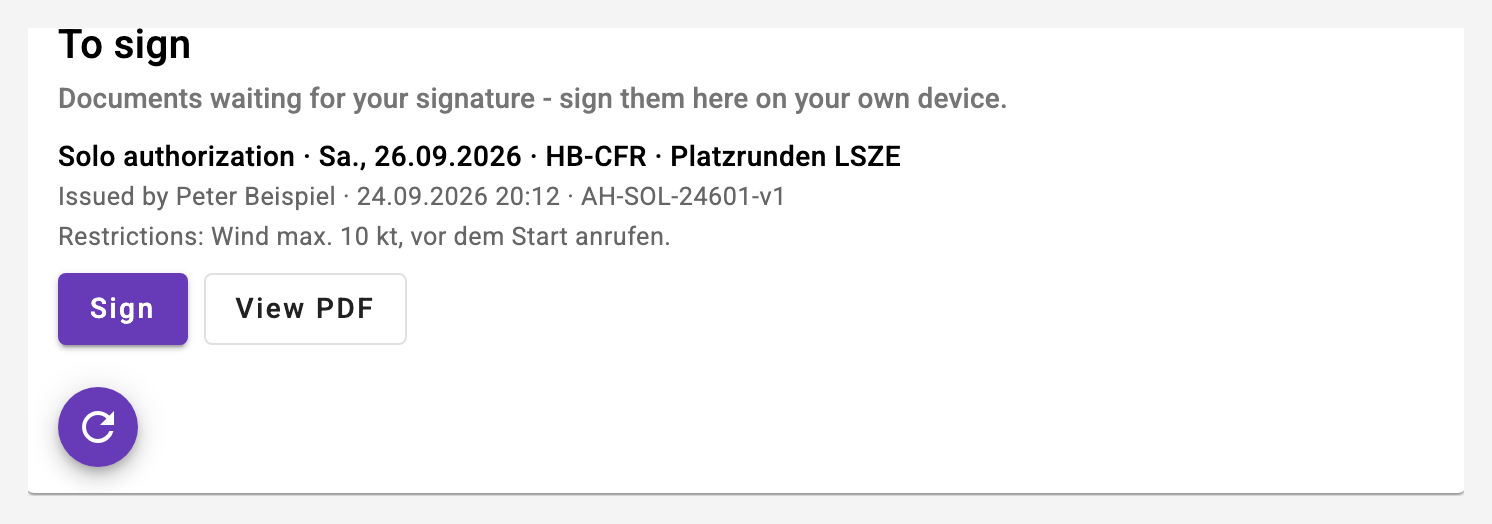
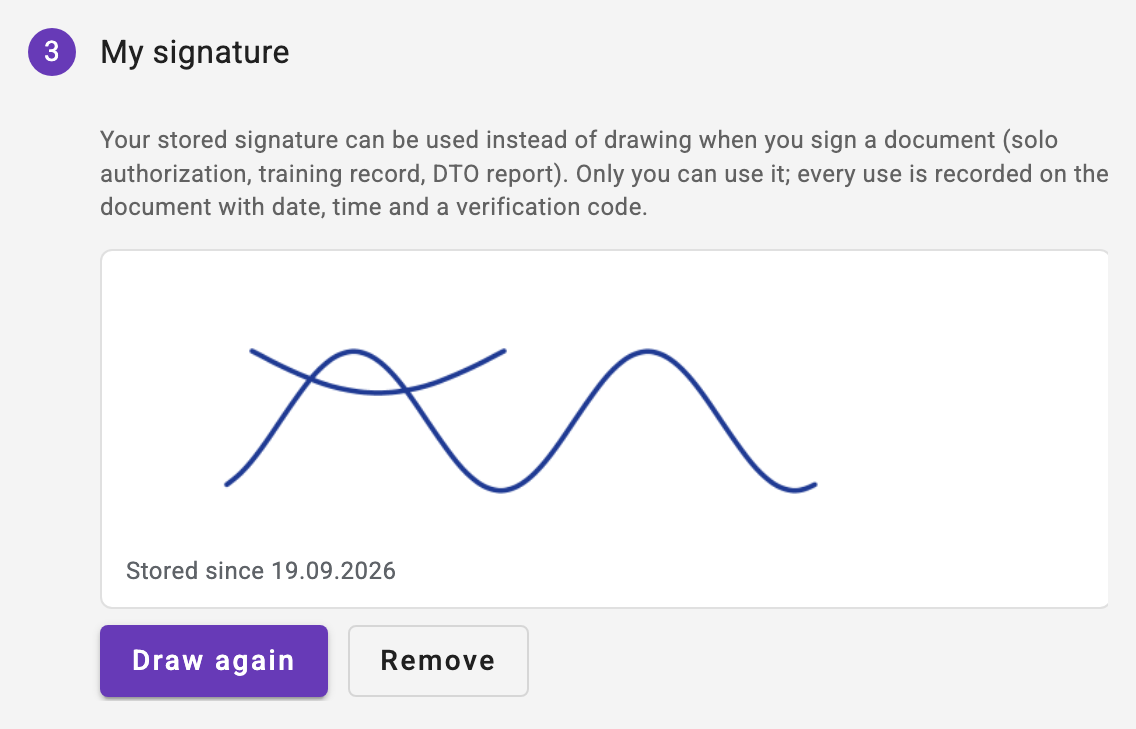
The signature dialog first names what you sign (document, person, date), then you sign across the box - with your finger, a pen or the mouse. If you have a stored signature in your profile (step "My signature"), you can use it instead of drawing; a drawn one can be stored right there with the checkbox "Save as my signature". Only you can use your stored signature - never anyone else, not even the club owner. For the solo flight authorization the instructor chooses where the student signs: now on the same device - that signature is recorded as "signed on the instructor's device", with the instructor as witness -, later on his/her own device or not at all. If it is requested, the student gets a push notification and the card "To sign" on the dashboard: he/she sees the issued form as a PDF and signs there - drawn or with the stored signature; the card disappears as soon as nothing is open. Where a signature is not mandatory (closing a record, submitting the report), the line stays free for a handwritten one.