
22. SplitFlaps - splitting trip expenses
Licensing note: SplitFlaps is a toolbox tool. If it is not enabled for your club, no new lists can be created - existing lists remain fully usable until they are wound up.
On a fly-out, different people pay all over the place: one the landing fees, one the lunch, one the coffee round. SplitFlaps collects these outlays in a shared list, offsets everything against each other at the end and shows every person exactly: You pay X to Y. The app never moves any money - you pay by TWINT or cash as before, SplitFlaps only tells you who pays whom.
Creating a list
Open the toolbox and in it SplitFlaps, then New expense list. Give it a name (e.g. "Fly-out Alsace"), choose the settlement currency and the travel companions from the member list. You are part of the list automatically. Everyone added receives a push notification and sees the list at the top of their dashboard from then on.
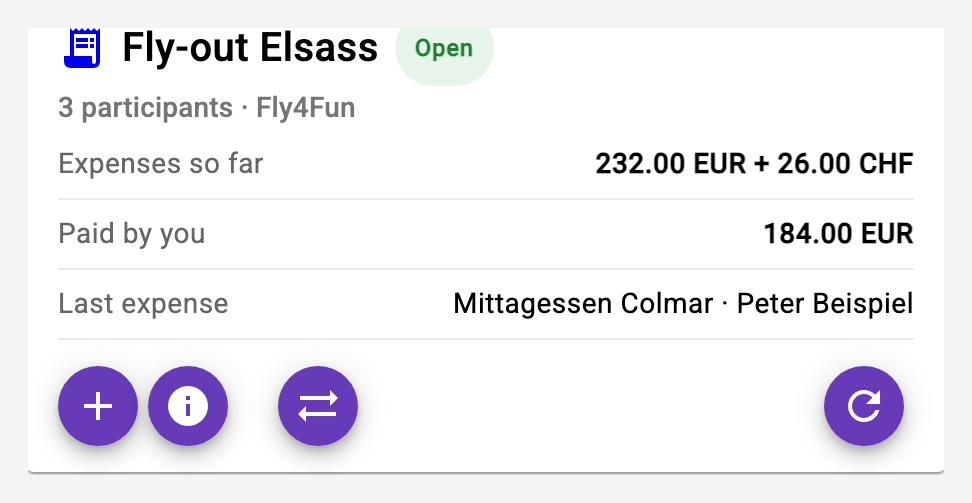
Whoever travels as a couple without a separate settlement gets 2 shares from the creator (in the list's detail view, plus and minus buttons next to the name) - this way the companion pays their part without being listed. Companions can be added later; removing works only as long as the person has neither paid anything nor shares any expense.
Passengers without an account
If passengers fly along who have no account in the app, record them as passengers: in the list's detail view tap Add passenger, type a first name, done. A passenger needs neither phone number nor e-mail - you are their pilot, and the two of you settle with each other at the end. Every member of the list can add their own passengers; the creator can also assign a passenger to another pilot.
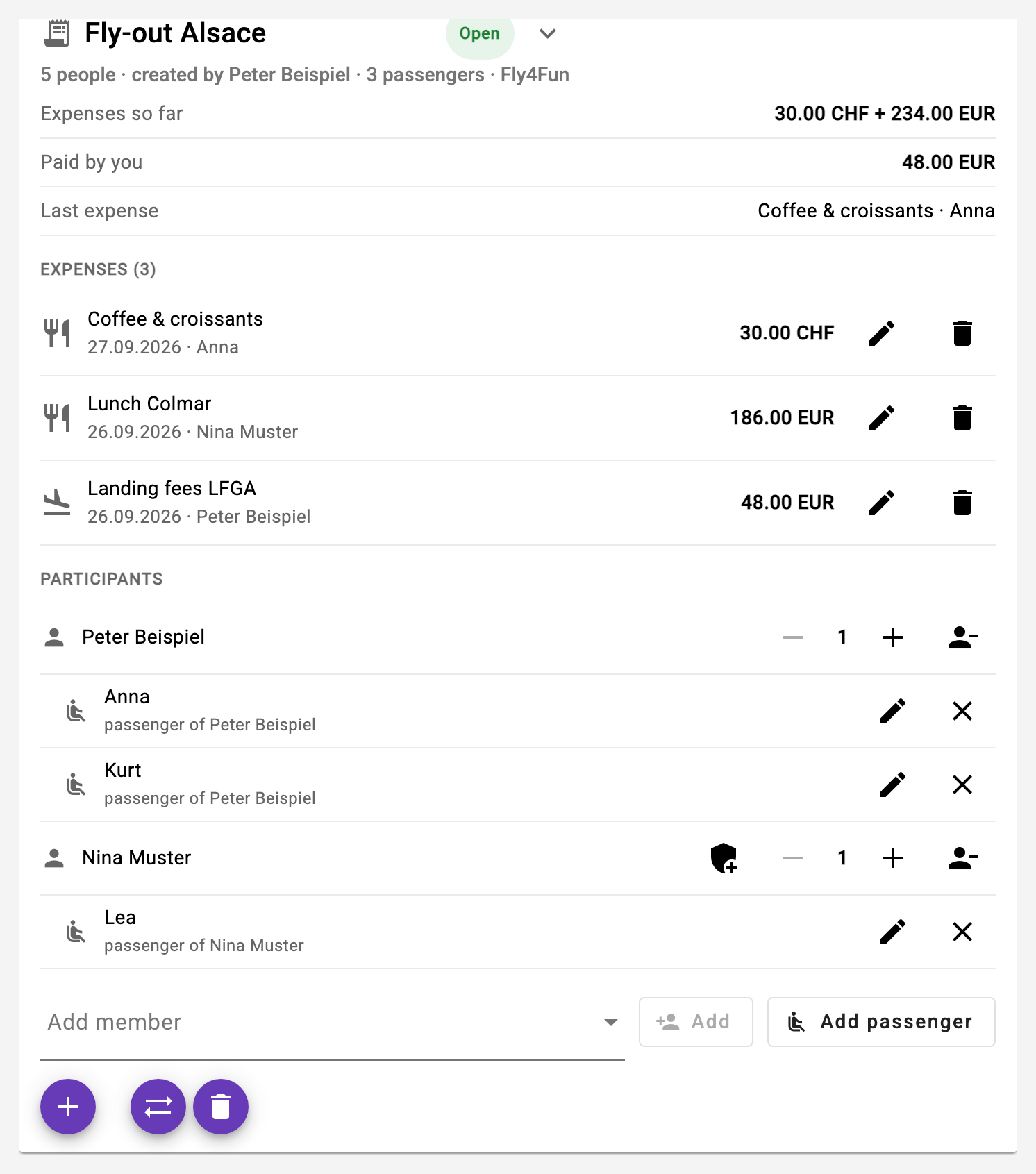
Passengers appear in the participant list as a crew right below their pilot. They can share expenses and can have paid themselves: "Paid by" offers all passengers next to the pilots. Editing, renaming and removing is up to the passenger's pilot or the creator - removing, as with members, only while the passenger appears in no expense. If you kept your passengers as shares so far, the app suggests setting your share back to 1 when you add the first passenger.
If the creator cannot join after all, they hand over the administration to a companion (shield icon next to the name in the participant list). That person can then manage participants, settle and close - the creator keeps their rights nonetheless and can take the administration back at any time.
The passenger link
If a passenger should read along and record things themselves, give them a personal link: QR icon next to the passenger in the participant list, then Create link. The dialog shows a QR code to scan at the airfield and the link to copy or share (on the phone through the share sheet, e.g. by WhatsApp). The passenger opens the link in the browser - no account, no login - and sees the list, records their own expenses with I paid something, ticks off their payment after settling and downloads their receipt. Nothing more: they cannot manage participants, change other people's expenses or settle, and they see no phone numbers except the TWINT number of the pilot they pay.
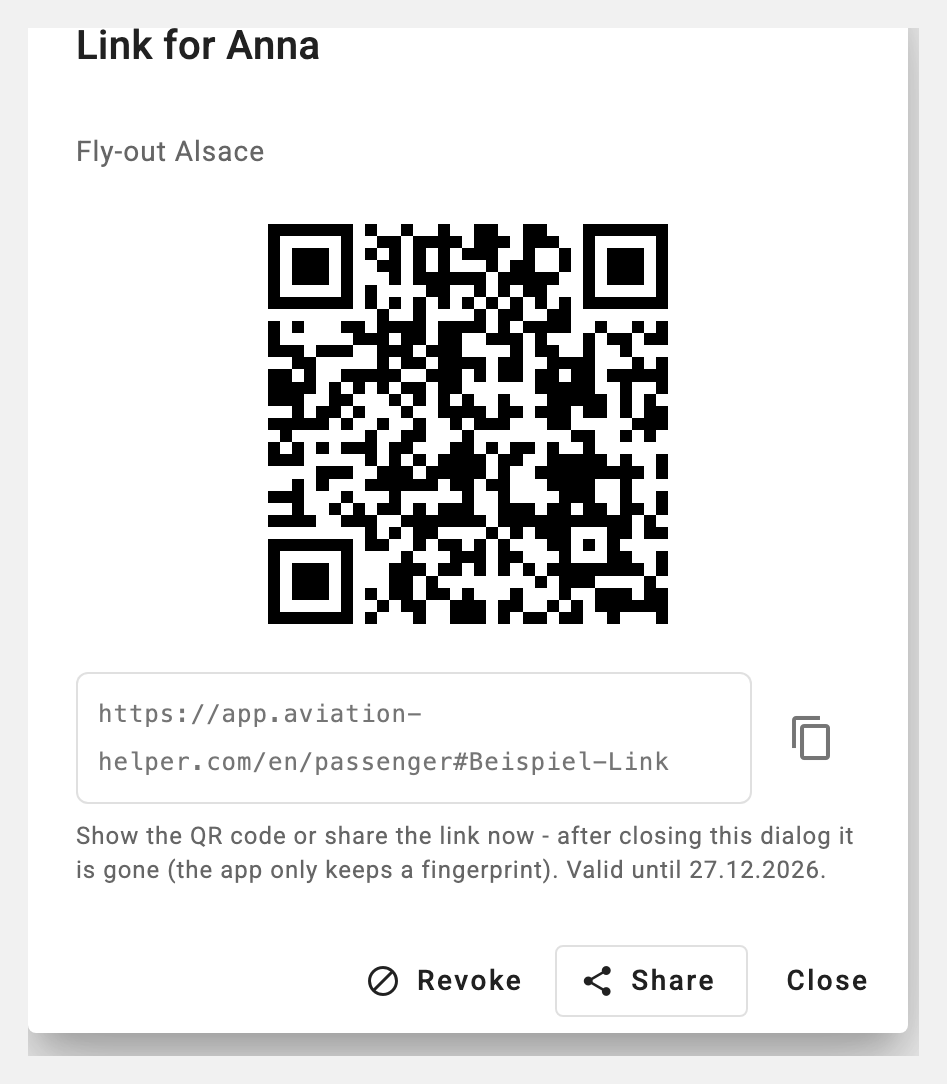
The link is a key: whoever has it is this passenger. Pass it on to them only. It is valid for 90 days, at most 30 days after the list is closed, and can be revoked or created anew at any time - the previous link stops working immediately. The app does not store the link itself, only a fingerprint; once the dialog is closed it is gone. If it got lost, simply create a new one. The dialog later shows since when the link exists and when it was last used.
Recording expenses
The dashboard card has Add expense: type the amount, tap currency and category, done. The currency remembers your last choice - in France, EUR is preselected after the first entry. A note ("Lunch Colmar") helps later.
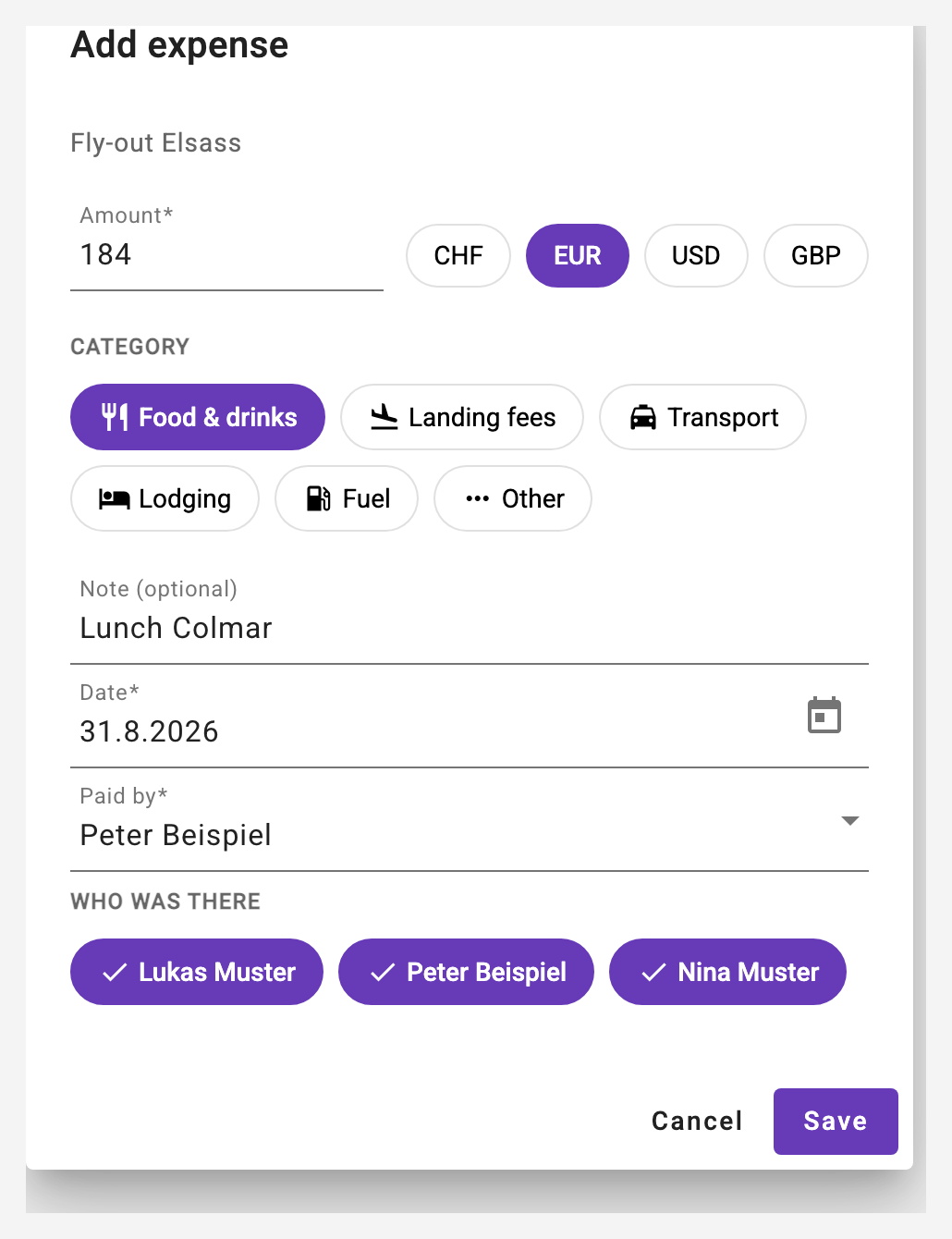
By default, everyone is in. Whoever missed an expense - someone skipped dinner - is deselected with one tap and pays nothing for it. "Paid by" is set to you; if someone else paid and you are just recording, pick that person.
Everybody can edit and delete their own expenses, the creator all of them - as long as the list is open.
Settling
When the trip is over, the creator presses Settle. If the list contains expenses in foreign currencies, he confirms the exchange rate into the settlement currency - payments are always created in a single currency, since TWINT transfers francs anyway.
The rate comes pre-suggested: the app fetches the current ECB reference rate and shows source, rate date and fetch time below the fields (on weekends the Friday rate applies). Taking or adjusting it remains your decision - the reference rate is not a card or TWINT rate. If you take the suggestion unchanged, the source is also recorded on the settled list; if no suggestion is available right now, you enter the rate manually as before.
The app offsets all expenses and shares against each other and produces the smallest possible number of transfers - with four people at most three. All members receive a personal push notification with their result: "You pay 61.02 CHF to Peter Beispiel" or "You receive 111.94 CHF" - pilots additionally with the payments of their passengers.
With passengers on the list, the app settles per crew by default: every passenger settles their balance directly with their pilot, and the pilots settle the crew balances among themselves. Every transfer thus runs between people who sat in the same aircraft, and no passenger needs the TWINT number of a pilot they hardly know. The switch in the settle dialog changes to "all among themselves" if you prefer.
If a receipt is still missing, the creator can reopen the list as long as nobody has ticked off a payment yet - the calculated payments are discarded and recalculated after adding the expense.
Paying and ticking off
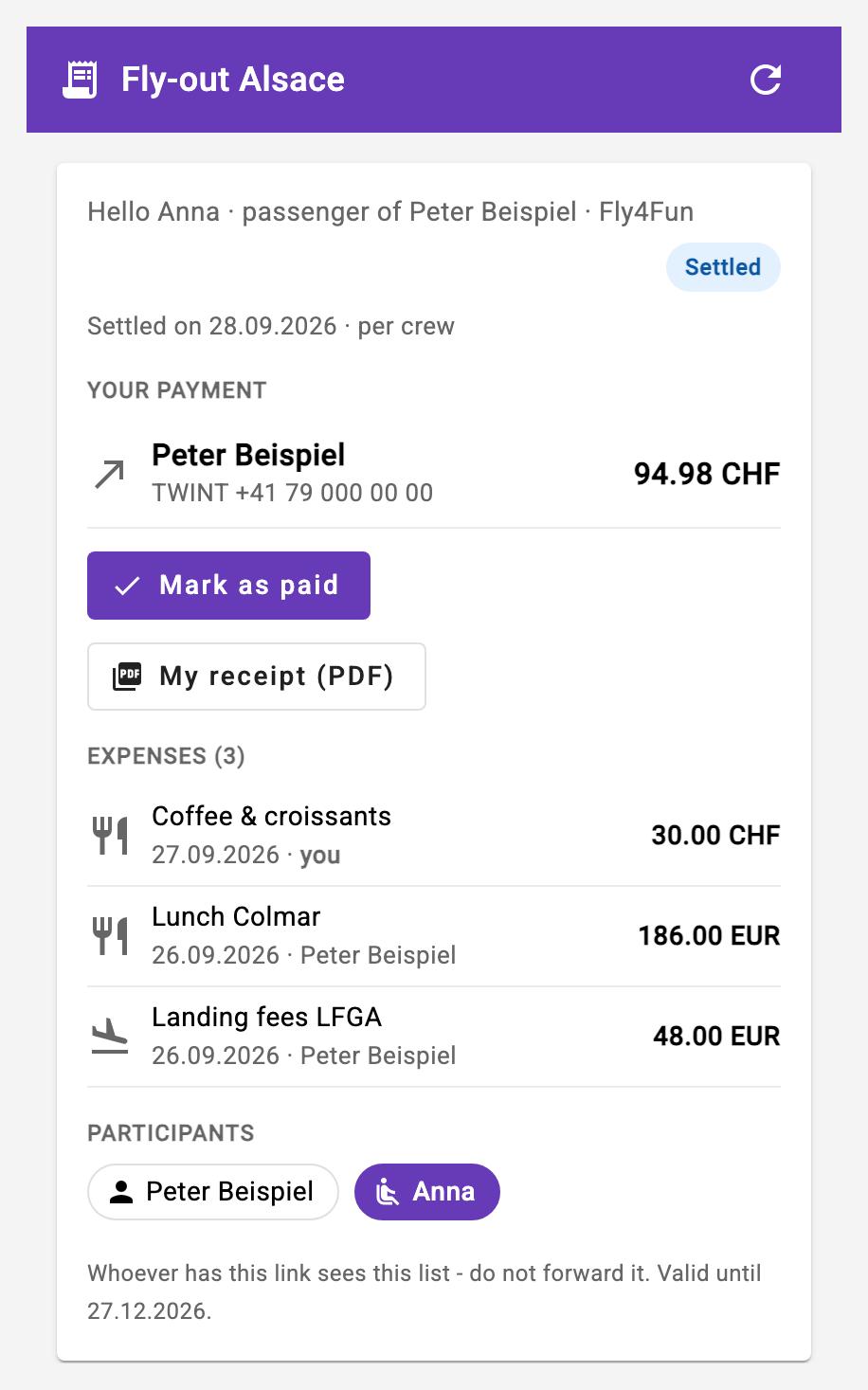
After settling, the card shows your payment at the top - with the recipient's TWINT number, if it is stored in their profile. Transfer the amount and tap Mark as paid. The recipient gets a push notification that the money is on its way.
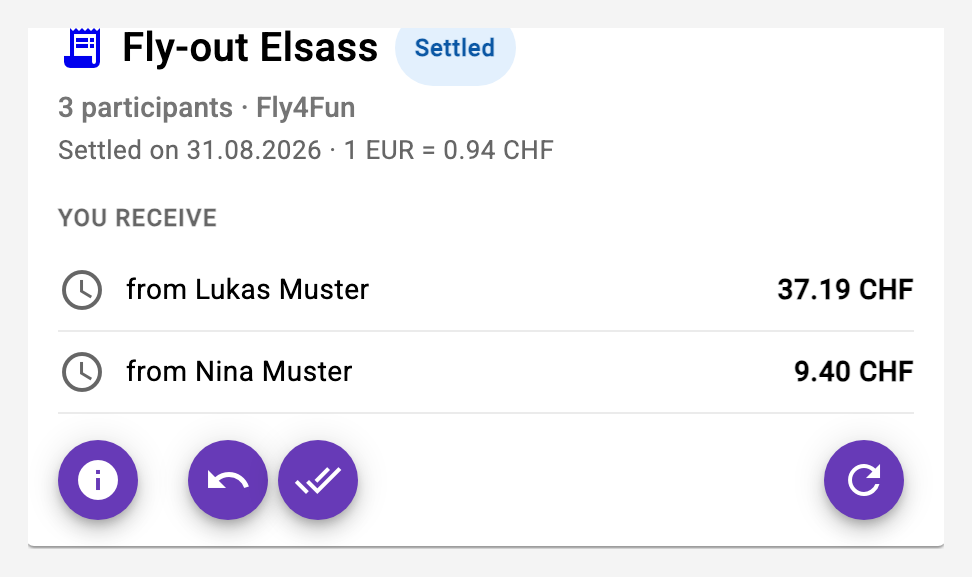
The payments of your passengers are listed under Your passengers: when Anna hands you her share in cash or by TWINT, you tick the payment off for her - the passenger's pilot and the recipient of the payment may do that.
Whoever has not paid after a week is reminded once by push - for a passenger, their pilot. Once all payments are ticked off, the list closes itself and disappears from the dashboard; the creator can also close it manually. Closed lists remain visible as a record in the archive of the SplitFlaps page and are removed automatically after two years.
The receipt
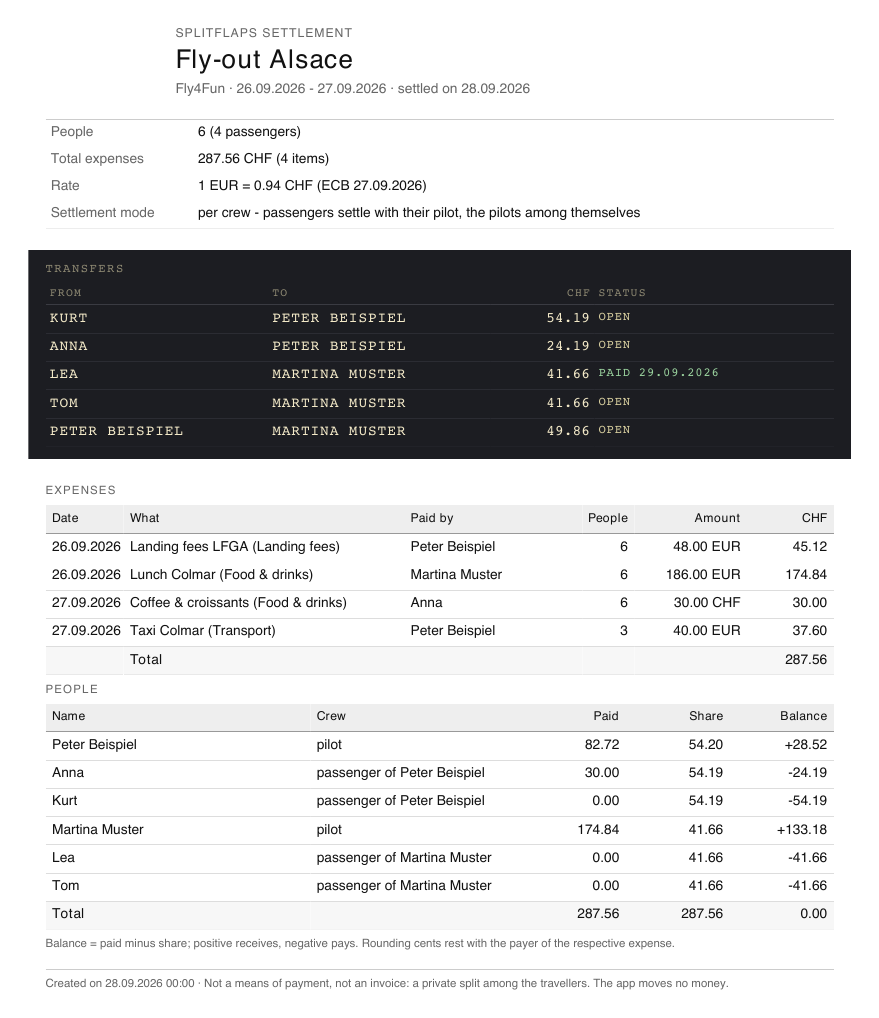
Once settled, the card offers the receipt as PDF (PDF icon in the action bar): the transfers as a departure board on top, below all expenses with the converted amounts and every person with what they paid, their share and balance. Next to each person in the participant list there is also the personal receipt - for yourself, for your passengers and, as the creator, for everyone: only their expenses, their share per expense and their transfer, for the payer with the recipient's TWINT number. On the phone, a passenger's receipt can be passed on right from the share sheet, e.g. by WhatsApp; otherwise it opens in the preview with download. The receipt stays available in the archive as long as the list exists.
Notifications
SplitFlaps notifies you by push when you are added to a list, when it was settled (with your personal result), when someone ticks off a payment to you, and once about open payments. Each of these notification types can be switched off individually on the notifications page. Individual recorded expenses deliberately trigger no notification - the total is always on the card.