15. Trial Flights
License: This chapter requires the Passenger flights module. If it is not enabled for your club, the logbook switch and the "Contacts" menu entry do not appear. You can see your club's modules in the club settings under "License of this club".
A trial flight lets an interested person take the controls together with an instructor - without being a member. The customer pays directly or with a voucher; there is no invoice through the app.
15.1 Recording in the logbook
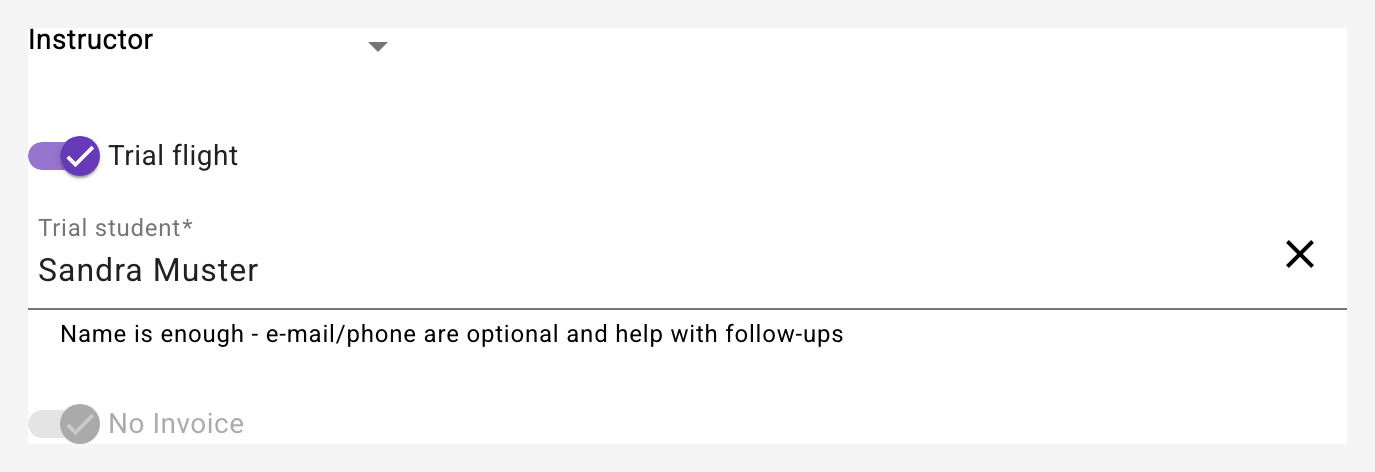
The instructor records the flight in the logbook as usual - with themselves as the pilot (not as the instructor). If the pilot of the entry is an instructor of the club, the Trial flight switch appears. Turning it on automatically:
- Sets the type of flight to VS (instruction flight), sets "No Invoice" and locks the instructor field - the instructor is the pilot of this entry.
- Shows the Trial student field: type the name and pick an existing contact - or create one on the spot with "Create new". The name is enough; e-mail and phone are optional and help with follow-ups.
- Sets the crew to "trial student / instructor" automatically.
A trial flight voucher can be redeemed on the same entry as usual (see 8). For capzlog.aero the flight is recorded like a regular instruction flight from the instructor's point of view - with the trial student noted as the student, without needing an account of their own.
Flight assignment and voucher are proposed: If your club has the Flight assignments module (see 18.7), the app fills the field Fulfils flight assignment by itself once the trial student is chosen - provided the pilot of the entry has exactly one taken assignment for this person - and Redeem voucher with that assignment's voucher, if it can be redeemed on the flight date (paid, valid, still open). A note below the fields says what was taken over, and also when the assignment's voucher cannot be redeemed. Both remain changeable; if you change the trial student, the proposed values disappear again - values you chose yourself stay.
After saving, the app asks for the payment when the fulfilled assignment has neither a voucher nor a payment: amount, payment method and date - the same dialog as in the assignment book. Cancelling has no consequences, the assignment stays under "Unpaid" there (see 18.9).
15.2 Billing: fee with exactly the flight time
Nothing is billed for the entry itself ("No Invoice" is fixed for trial flights - the customer has already paid directly or by voucher). The instructor fee however appears automatically on the instructor invoice - with exactly the flight time, without any briefing/debriefing surcharge. The briefing times remain editable on the entry; for trial flights they are documentation only.
15.3 Club contacts
Trial students are stored as contacts of the club - without a user account and without an invitation. Only club owners and instructors can see the contact details. If the same person flies a second time, the field suggests them automatically - no duplicates.
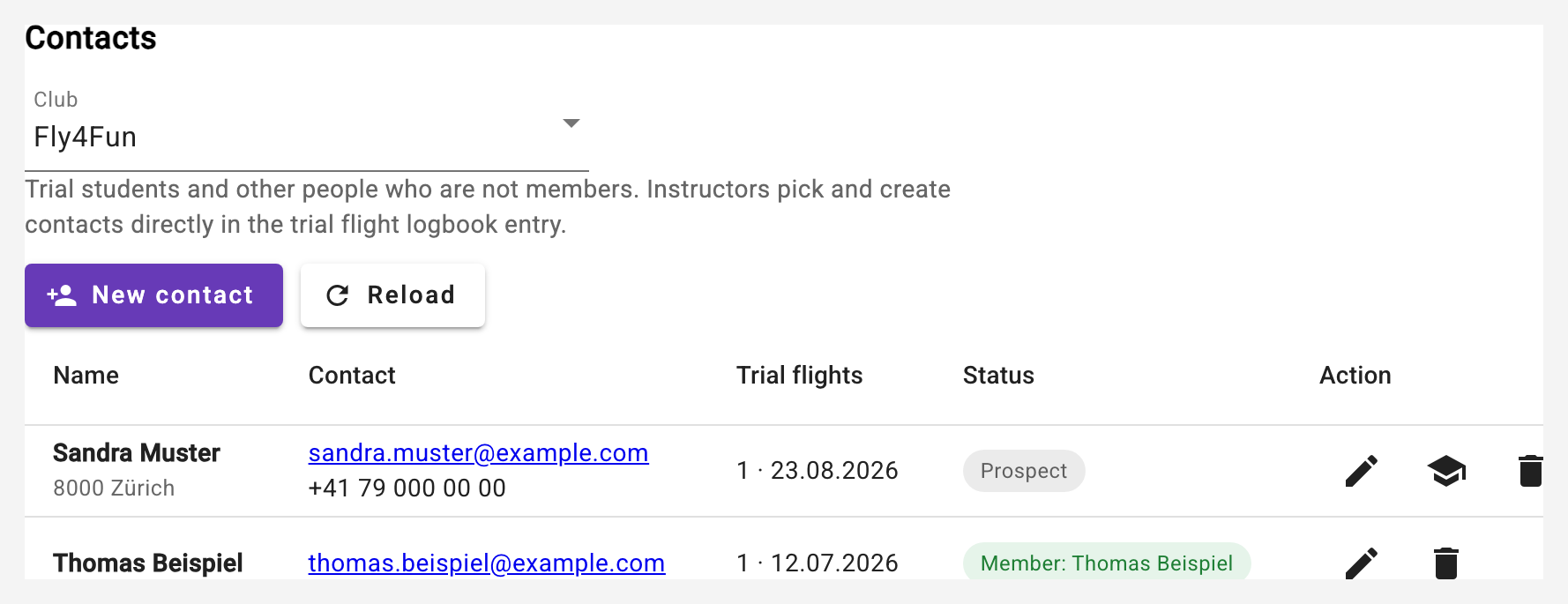
Under the Contacts menu item the club owner manages the list of all contacts of the club: with e-mail and phone for follow-ups (e.g. an invitation to start the training), the number of trial flights with the latest date, and the status - prospect or already linked member. Contacts can also be created, edited (with address and note) and deleted here - logbook entries keep the recorded name. Instructors only ever touch contacts in the logbook: when recording a trial flight they pick the contact or create it on the spot.
Contacts are also created when selling a sightseeing or trial flight voucher: the invoice receiver is picked from the contacts or recorded as a contact automatically when saving, and missing data (address, country, phone, e-mail) is completed (see Vouchers). The Vouchers column shows who has bought before; the Sell a voucher button on every contact opens the voucher form with this contact as invoice receiver. The country is a field of the contact so that the takeover into the QR invoice is complete.
Contacts who never became a member and had neither a trial flight nor a voucher purchase nor an edit for three years are cleaned up automatically - addresses of non-members do not linger forever.
15.4 Joining the club: crediting trial flights
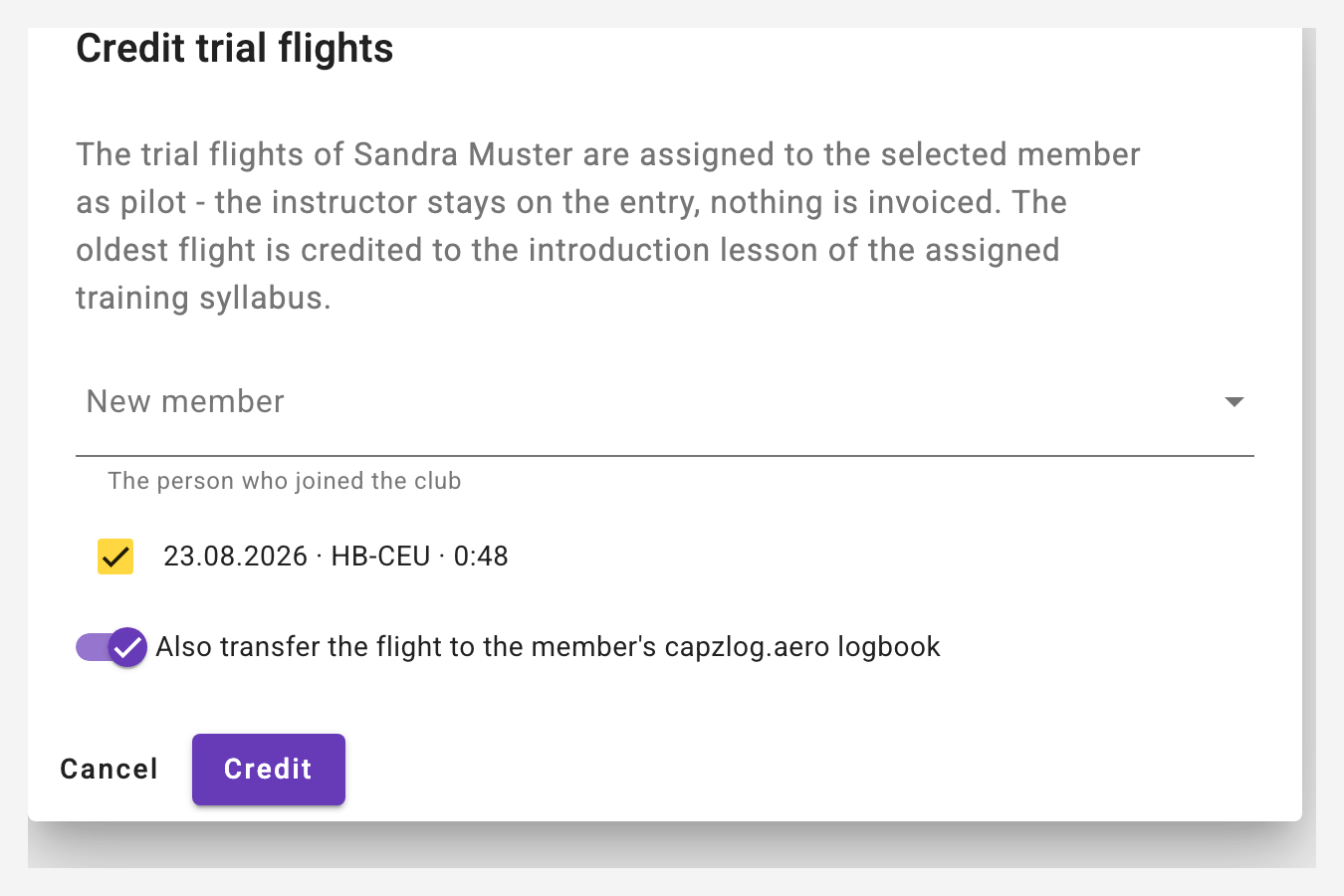
When a trial student joins the club, the club owner credits the trial flights from the contacts list (action Credit on the contact): pick the member, confirm the flights - done. This happens automatically:
- The flights are assigned to the new member as pilot; the instructor moves to the instructor field. The entry is now a regular training flight - still nothing is invoiced.
- The oldest flight is credited to the introduction lesson (1.1) of the assigned training syllabus - minutes and landings count towards the progress right away. (Without an assigned syllabus the flight can be assigned later in the logbook.)
- On request the flight is also transferred to the new member's capzlog.aero - as a training flight with the instructor.
- From then on the contact is linked to the member and shows up accordingly in the list.