17. I want to fly
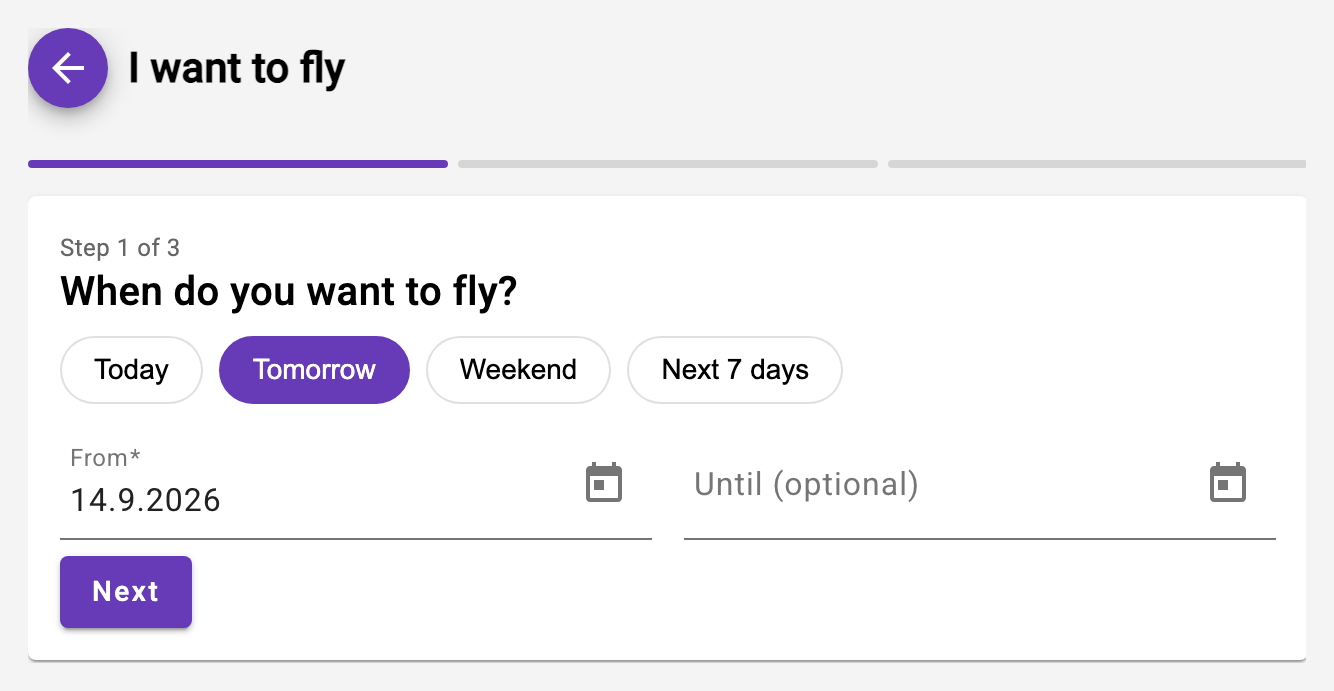
The fastest way to your next reservation: the "I want to fly" button at the top of the dashboard (also in the "My Next Reservations" card and in the availability overview). Three questions, then the suggestions appear:
- When? Today, tomorrow, on the weekend or within the next 7 days - or a custom date (end date optional).
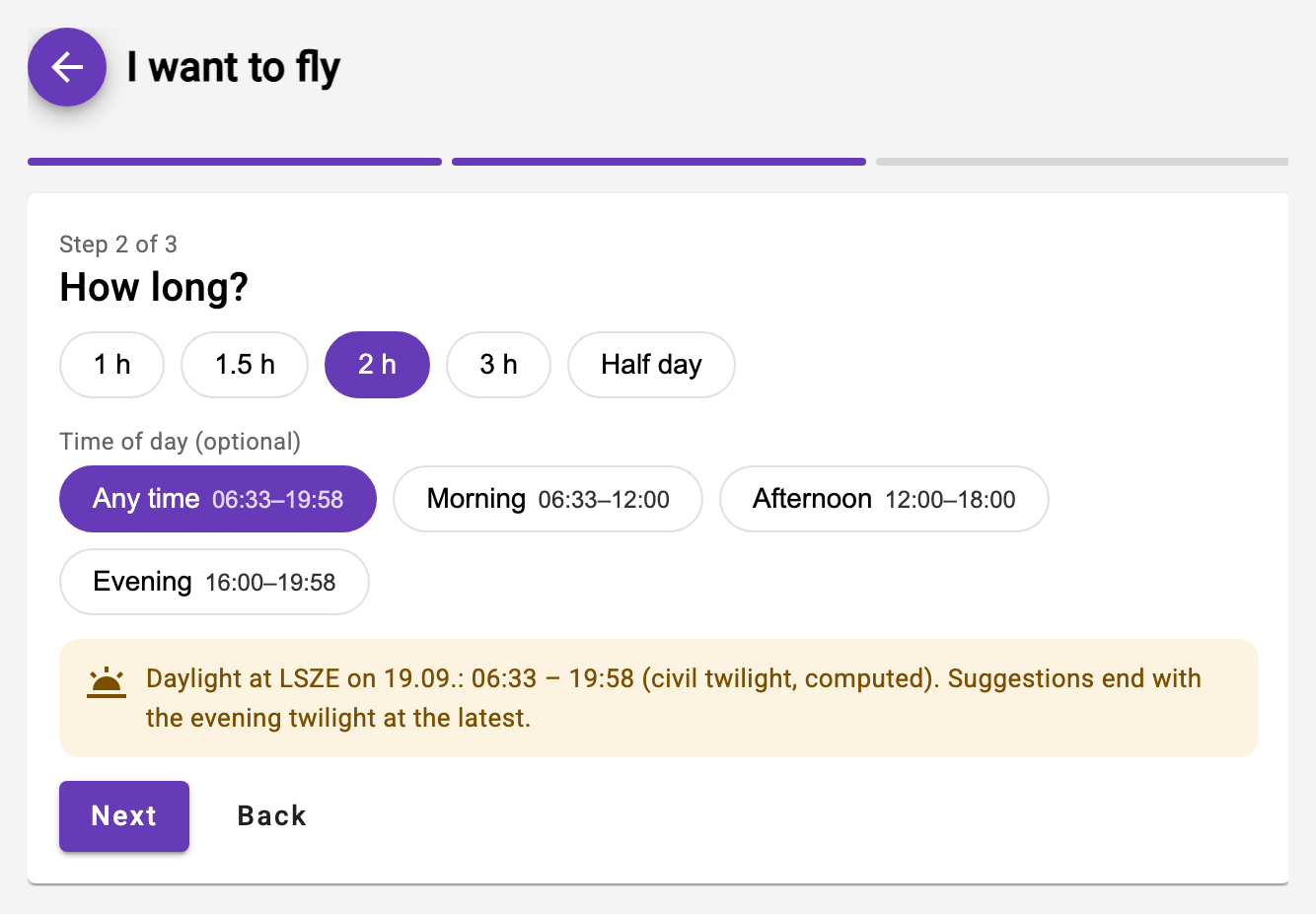
- How long? Duration as a choice (1 to 3 hours or half a day) and optionally the time of day (morning / afternoon / evening). The chips show the effective times of the first search day - "Evening 16:00–20:02" in September, "Afternoon 12:00–17:09" in December; a time of day that can no longer hold the chosen duration on any search day is not offered at all.
- With an instructor? Pilots choose "Without instructor" or a preferred instructor; student pilots always fly with an instructor - with a primary instructor assigned, they get them preselected.
For today the search starts from the current time: times of day that have already passed are no longer offered, and the suggestions never start in the past. That is why tomorrow is preselected - "Today" is one click away.
Daylight is the limit. The search only runs between civil dawn and civil dusk at the aircraft's home base, to the minute: no suggestion and no start time under "Also free" ends after the end of evening civil twilight (the SERA definition of night). The times are shown below the time-of-day chips ("Daylight at LSZE on 18.09.: 06:32 – 20:00") and in the header of every day of the result list; a window ending in the last half hour before dusk carries the hint "Landing by 20:00". The twilight is computed - legally authoritative is the table in the VFR Manual. Night reservations remain possible by hand in the agenda; the search deliberately does not suggest them.
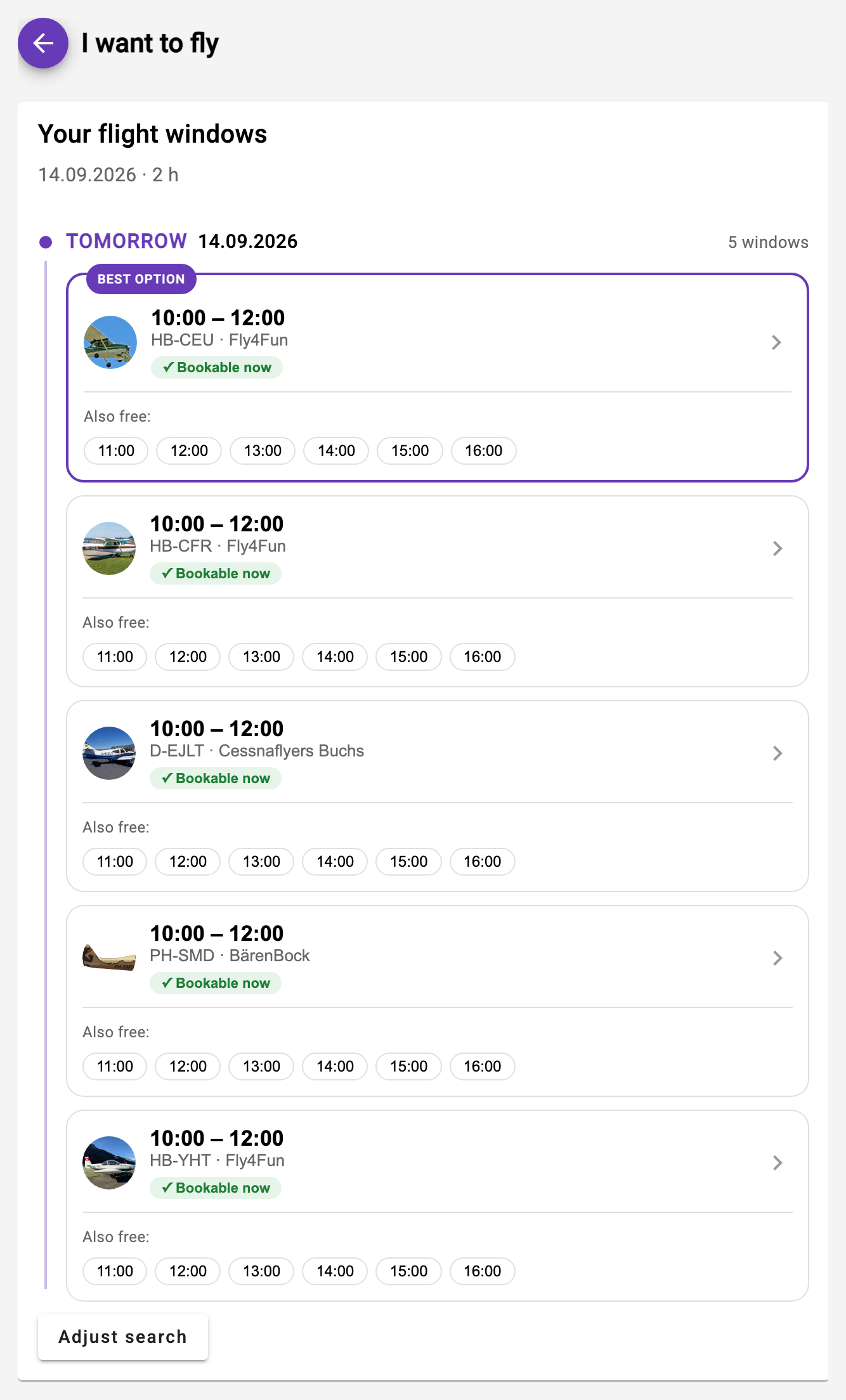
The "Your flight windows" list shows the bookable time windows of all your aircraft, grouped by day: first everything that is bookable now (green badge - with the available instructor where relevant), below that the windows where the instructor has to be requested first (the reservation is then provisional until they accept). The best suggestion is marked as "Best option".
Tapping a window opens the reservation form pre-filled - from there all the usual rules apply, and after saving or cancelling you return to your result list.
Your usual aircraft is listed first within each day - the type you have flown most in the last 24 months (as pilot or as instructor; without a flight in that period the whole membership counts). It carries the label "Your usual aircraft", for student pilots "Your training aircraft". If two aircraft have been flown equally often, the one with more hours left until its next maintenance is suggested. The other aircraft remain in the list, just not as the recommendation; in a club with a single aircraft there is no such label.
Below each suggestion, "Also free:" lists further start times in the hourly grid - so you can see at a glance that an aircraft is available not only at 06:00 but also at 08:00 or 10:00, without the list showing a separate card for every hour. A tap on one of those times opens the form with exactly that start.